

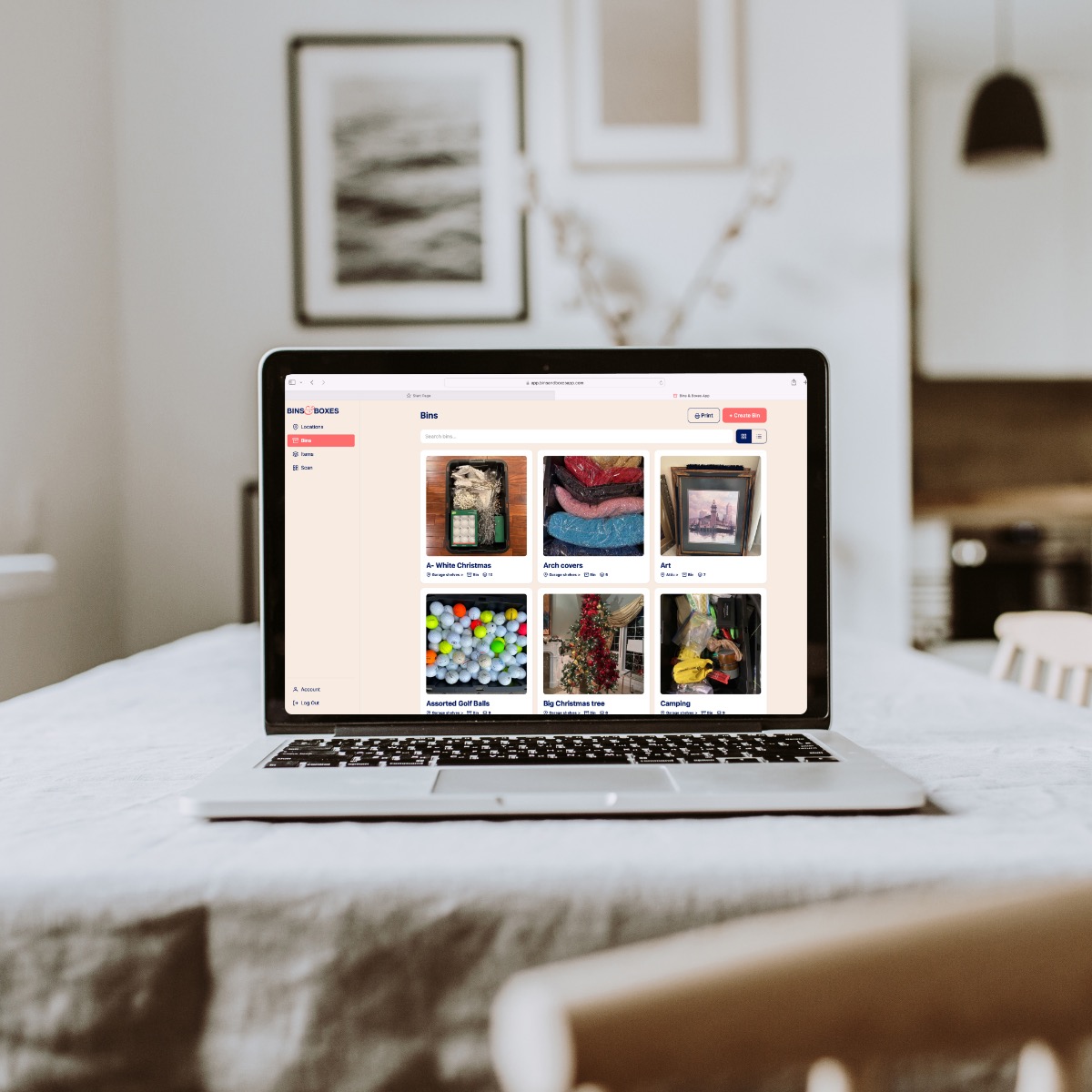
We've been busy. Three of our most-requested features just landed: a lightning-fast way to catalog a whole bin, a search that actually finds things, and Bins & Boxes on your computer.
Every one of these came straight from your feedback—thank you for the emails, reviews, and ideas. Here's what's new.
⚡ Rapid Add: photograph it, we'll name it
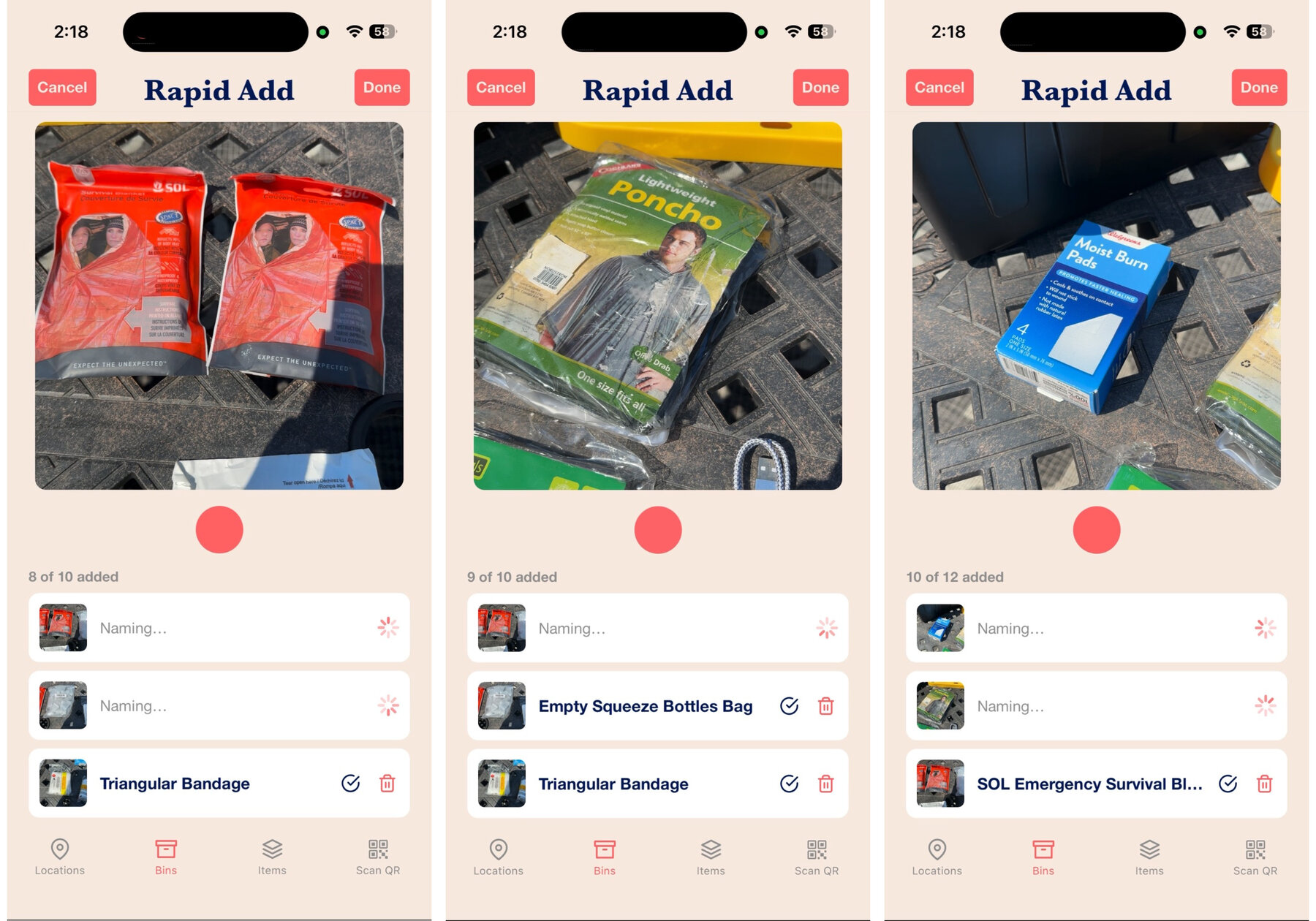
Cataloging a full bin used to mean typing a name for every single item. Not anymore. Open any bin, tap the lightning bolt, and just start snapping photos.
As you shoot, each photo uploads in the background and our AI looks at the picture, names the item, and saves it to the bin—while you're already photographing the next one. A bin of thirty items takes a couple of minutes instead of half an evening.
- No typing required—the AI names each item from its photo.
- Keep shooting—uploads and naming happen in the background.
- Easy fixes—tap any name to rename it if the AI gets creative.
- Change your mind? Cancel and everything from that session is removed.
Tip: Set the bin on a table, drop each item in front of it, snap, repeat. When you're done, everything is already in the app.
🔍 Search that forgives typos
Search got a complete overhaul under the hood. The old search only found exact matches—type "chrismas" and your Christmas bins were nowhere to be found. The new search is smarter:
- Typo tolerance—"chrismas lites" still finds your Christmas lights.
- Word order doesn't matter—"lights christmas" and "christmas lights" return the same results.
- Searches more than names—matches are ranked across multiple fields, so the best result rises to the top.
The best part: it works everywhere—in the iOS app and the new web app—with no update required on your end.
🖥️ Bins & Boxes, now on your computer
The biggest news of all: Bins & Boxes is no longer phone-only. The new web app at app.binsandboxesapp.com gives you your entire inventory in any browser—same account, same data, always in sync with your phone.
Everything you can do in the iOS app, now with a big screen and a keyboard:
- Browse your locations, bins, and items in grid or list view.
- Add and edit anything—with drag-and-drop photo uploads from your computer.
- Search everything with the new smarter search.
- Print QR labels straight from your desktop browser—no more printing from your phone.
- Scan a bin's QR code with your webcam to jump straight to what's inside.
It's especially good for big cataloging sessions and label printing days—some jobs are just easier with a mouse and a 17-inch screen.
Log in with the same email and password you use on your phone—your bins are already there waiting for you.
No new account needed
Try it this weekend
Grab that one bin you've been avoiding, hit the lightning bolt, and watch it catalog itself. Then pull up the web app and admire your handiwork on the big screen.
Have feedback on any of these features? We read every message—info@binsandboxesapp.com.
Happy Organizing!